

映像用LANケーブルの経路Video cable route
安全に配線できる場合はPoEも比較し、配線が難しい区間だけを無線化します。Compare PoE where a safe route exists; use wireless only for difficult sections.
SunCurve — 防犯カメラの、その先へ。AIで、暮らしとビジネスに新しい可能性を。SunCurve — Beyond security cameras. Opening new possibilities for everyday life and business with AI.
無線方式を先に決めず、電源、壁や金属、距離、電波干渉、必要な録画条件を確認します。家庭内Wi-Fi型、NVR専用無線、長距離無線を現場条件で比較し、CURVIONはNVR専用無線の候補の一つとして扱います。Do not choose a wireless method first. Check power, walls and metal, distance, interference, and recording needs. Compare home-Wi-Fi, dedicated-NVR wireless, and long-distance wireless by site conditions; CURVION is one dedicated-NVR candidate.
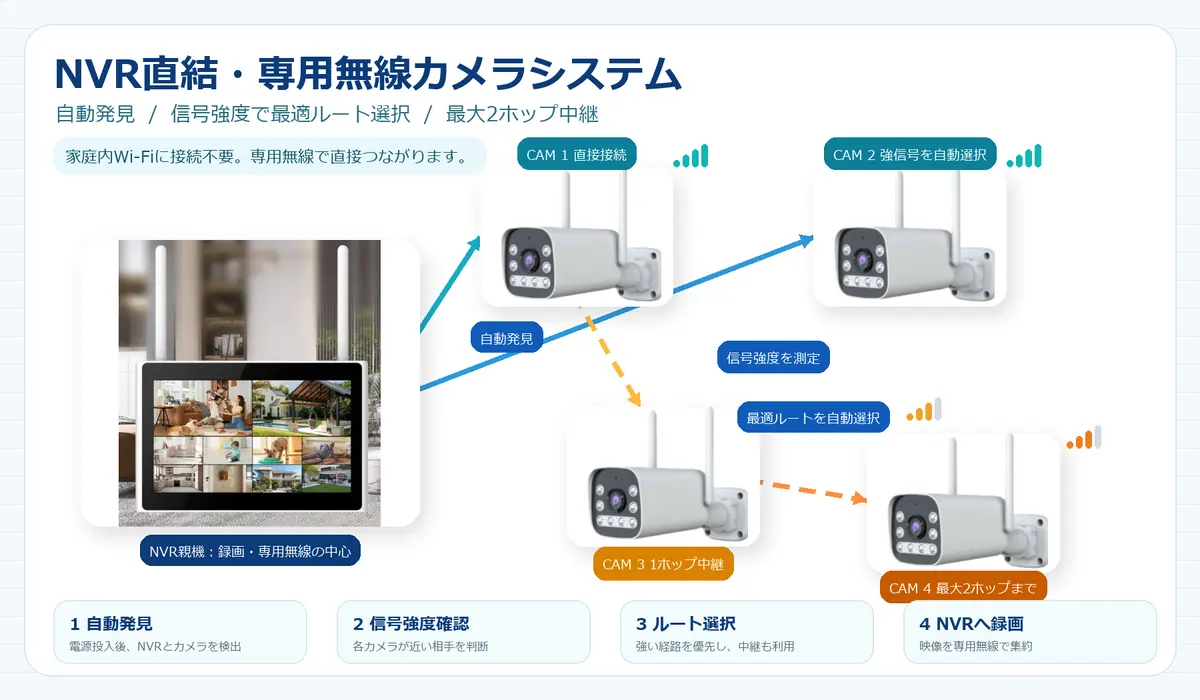
安全に配線できる場合はPoEも比較し、配線が難しい区間だけを無線化します。Compare PoE where a safe route exists; use wireless only for difficult sections.
カメラごとの電源、防水対策、停電後の復旧方法を確認。Check per-camera power, weather protection, and recovery after outage.
壁、金属、距離、設置高、周辺の電波状況を現場で確認。Check walls, metal, distance, mounting height, and surrounding radio use.
連続録画、保存日数、一括再生、遠隔確認を整理。Clarify continuous recording, retention, unified playback, and remote access.
小範囲・簡易用途の候補。既存Wi-Fiへの負荷、ルーター変更、通知への依存を確認。A candidate for a small, simple need. Check existing Wi-Fi load, router changes, and alert dependence.
住宅条件を見るView residential conditionsカメラ映像を専用無線でNVRへ送り、複数台の録画を管理。CURVIONを含む機器を比較できます。Send camera video to an NVR over a dedicated link and manage multi-camera recording. Compare equipment including CURVION.
製品仕様を見るView product specifications離れた建物や農地を結ぶ場合の候補。距離、見通し、障害物、電源、設置高を別途評価。Links for remote buildings or fields require separate assessment of distance, line of sight, obstacles, power, and mounting height.
Wi-Fi HaLowを見るView Wi-Fi HaLow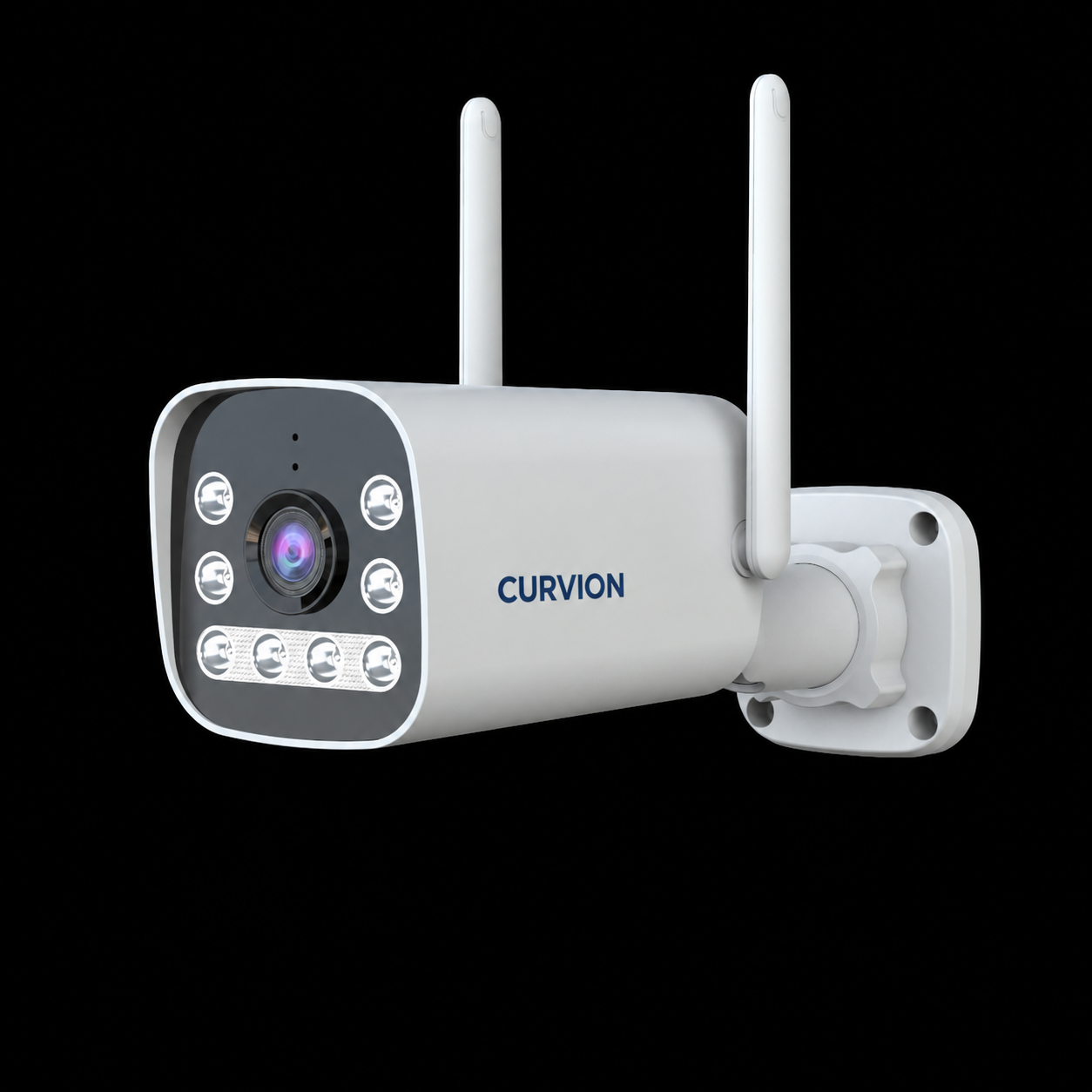
主映像2880 × 1620、副映像800 × 448の映像出力を備えた無線カメラです。赤外線と白色光の補助照明が夜間撮影を支えます。This wireless camera offers a 2880 × 1620 main stream and an 800 × 448 sub stream. Infrared and white-light LEDs support night imaging.
照射距離と見え方は、周辺光、対象の反射、設置角度で変化します。Illumination range and visibility vary with ambient light, subject reflection, and mounting angle.
いずれも型番・最終構成・供給状態を見積り前に確認します。Confirm model, final configuration, and supply status before quotation.
10チャンネル、2.4 GHz無線、H.265映像圧縮。複数台の映像をNVRでまとめて録画します。10 channels, 2.4 GHz wireless, and H.265 video compression for centralised multi-camera recording.
シリーズ仕様:16チャンネル、Wi-Fi 6、2.4 GHz / 5 GHz。構成に合うサブモデルを選びます。Series specifications: 16 channels, Wi-Fi 6, and 2.4 GHz / 5 GHz. Select the sub-model for the system configuration.
10チャンネル、10.1型ディスプレイ、最大8 MPのカメラ入力・録画に対応。現場での映像表示が必要な構成に。10 channels, a 10.1-inch display, and camera input and recording up to 8 MP for systems requiring on-site viewing.
設置写真、壁・金属・距離、電源位置、必要な録画日数を共有してください。Camera Labの試験結果と製品・システム比較を推奨内容の判断材料にします。Share installation photos, walls/metal/distance, power points, and required retention. We use Camera Lab test results and product and system comparisons to guide the recommendation.